
Internet & Broadband Services in Uppal (500039), Hyderabad – Real-World Fiber Connectivity Guide
Last updated: May, 2026
If you’re trying to get a broadband connection in Uppal, you’ll quickly realize something that most websites don’t clearly explain:
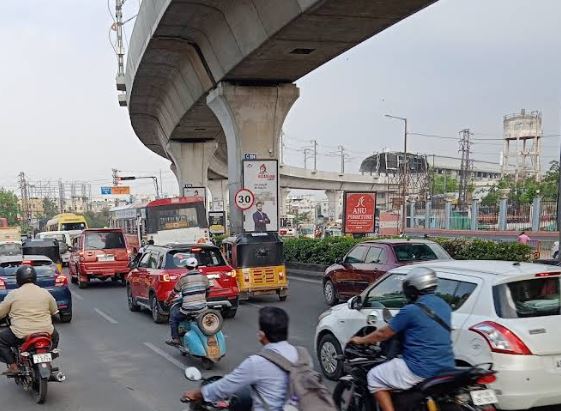
Living in Uppal is a unique experience. On one hand, you have the high-energy vibe of the Metro corridor and the excitement of the Uppal Stadium during match days. On the other, you have the quiet, old-school residential colonies where life moves a bit slower. This contrast is exactly why the internet experience varies so much here. While the main road apartments are essentially ‘plug-and-play,’ the interior lanes often feel like they are still catching up to the fiber revolution.
Broadband availability here is not uniform—even within the same street.
You might find that one apartment building has access to ACT, Airtel, and JioFiber, while the independent house just next to it is limited to one provider or requires a feasibility check before installation.

The Reality of Interior Lanes vs. Main Roads
If you live in an independent house in one of Uppal’s interior colonies, you’ve probably faced the ‘feasibility’ headache. You call a big provider like Airtel or Jio, and they tell you they cover the 500039 pin code. But when the technician arrives, he looks at the tangled mess of wires on the pole and tells you, ‘Sir, there are no free ports in the box.’
In these pockets, you often find that the big brands are a luxury, and the local cable operators are the reality. Local ISPs might not have a fancy app or a 24/7 call center, but they are the ones who can pull a wire through a narrow alleyway when the big companies refuse. If you’re in this situation, don’t waste weeks waiting for a ‘feasibility check’ from a corporate office—ask your immediate neighbor which local operator is actually keeping them online.
Cheap Broadband Plans in Uppal (Under ₹500)
If your usage is simple — browsing, YouTube, online classes — you don’t need to spend a lot.
In Uppal, most budget plans fall in this range:
- JioFiber basic plans (around ₹399)
- Airtel entry plans (around ₹499)
- BSNL fiber plans in select areas
These are usually enough for 1–3 users with normal daily usage.
👉 But here’s the honest part:
If your home has multiple people using internet at the same time, these plans can feel slow — especially in the evenings.
In that case, upgrading to a 100 Mbps plan makes a noticeable difference.
👉 Airtel vs JioFiber vs ACT – Detailed Comparison — The most comprehensive side-by-side comparison of the three dominant fiber providers in Hyderabad. Covers speed, pricing, customer service, and which provider suits which type of user.
Fast Internet Plans in Uppal (For Families & Heavy Use)
For most homes in Uppal today, 100–200 Mbps is the sweet spot.
This range works well if:
- 2–3 people are on video calls
- Kids are attending online classes
- OTT streaming is happening at the same time
Popular choices people usually go for:
- Airtel Fiber (known for stable performance)
- ACT Fibernet (strong speeds in apartments)
- JioFiber (good balance of price and features)
👉 Instead of chasing very high speeds, focus on consistent performance — that matters more in daily use.
Broadband for the Student Crowd
With so many coaching centers and PGs in the Uppal area, there is a huge population of students who are just looking for a connection that doesn’t crash during a late-night study session.
A common mistake students make is splitting a 100 Mbps plan between 4 or 5 roommates. On paper, it sounds like enough. In reality, once two people start streaming in 4K and one starts a large download, the others experience ‘ping spikes’ and lagging calls. If you are in a shared flat in Uppal, my honest advice is to go for the 200 Mbps tier. The extra few hundred rupees a month is a small price to pay to avoid arguments with your roommates over who is ‘stealing’ the bandwidth.
Best Broadband for Work From Home in Uppal
If you’re working from home, internet quality matters more than plan price.
In Uppal, people generally prefer:
- Airtel Fiber → stable for Zoom, Teams, Google Meet
- ACT Fiber → good performance where available
👉 Recommended speed:
At least 100 Mbps for smooth calls and file uploads.
📌 Simple tip:
After installation, test your speed using a LAN cable once — Wi-Fi speed can be misleading.
Need Internet Fast? (Quick Connection Options)
If you’ve just shifted to Uppal and need internet immediately, don’t wait too long for fiber.
Here’s what people usually do:
- Check local providers in your street (fastest setup)
- Try JioFiber or Airtel in apartments (quicker approvals)
- Use a 4G/5G router temporarily
👉 This is useful when:
- You need connection within 1–2 days
- Fiber installation is getting delayed
What If Fiber Is Not Available in Your Street?
This still happens in some parts of Uppal.
If that’s your situation:
- Check BSNL Fiber (often available in older areas)
- Ask about local cable internet providers
- Use wireless broadband as a temporary option
👉 Also apply for Airtel/Jio in parallel —
providers expand faster where demand exists.
Broadband in Apartments vs Independent Houses (Uppal)
Your building type makes a big difference.
Apartments
- Easier installation
- Multiple providers available
- Faster activation
If your neighbour already has a connection, you’ll usually get it quickly.
Independent Houses
- Fiber may need to be extended
- Feasibility check required
- Installation may take longer
Dealing with Uppal’s ‘Thick Walls’
Many houses in Uppal, especially the older independent ones, are built with heavy RCC (Reinforced Concrete). These walls are the ‘Kryptonite’ of Wi-Fi. You might have a 300 Mbps plan, but if your router is in the living room and you’re trying to use it in the bedroom, you’re probably getting 20 Mbps.
Stop buying cheap ‘Wi-Fi Boosters’—they just repeat a weak signal. If you live in a duplex or a large home in Uppal, invest in a Mesh Wi-Fi system. It places small ‘nodes’ in different rooms, creating a blanket of internet that actually penetrates those thick concrete walls.
👉 Always confirm availability before selecting a plan online.
👉 How to Choose the Right Broadband Plan for Your Home — A step-by-step decision guide covering number of users, usage type, and budget considerations.
Before You Book — Do This One Thing
This sounds simple, but it works better than anything else:
👉 Ask 2–3 people in your building or street
You’ll quickly know:
- Which provider actually works well
- Which one has issues
- How fast installation happens
In areas like Uppal, local feedback is more reliable than online reviews.
The ‘Monsoon Factor’ in Uppal
One thing that is rarely mentioned in official brochures is how the weather affects the internet in Uppal. Because a large portion of the fiber in the interior colonies is ‘aerial’ (hanging from poles), heavy rains and strong winds can lead to micro-cuts in the fiber.
If you notice your internet flickering or dropping specifically during a storm, it’s likely a physical cable issue on your street. This is why, for those who truly cannot afford a single minute of downtime—like freelancers or day traders—having a Dual-WAN setup (one fiber line and one high-speed 5G backup) is the only way to ensure 100% peace of mind in this area.
👉 Broadband Connection in LB Nagar (500074)
Common Questions About Internet in Uppal (500039)
Why does internet speed feel slower in some parts of Uppal?
In many cases, it’s not the plan — it’s the area infrastructure. Older streets or buildings may have limited fiber routing, and in busy zones, network load during evenings can also affect speed.
Do all apartments in Uppal have fiber connection ready?
Not always. Newer apartments usually have pre-installed wiring, but in older buildings, providers may still need to set up internal connections before activation.
Is it better to choose Airtel, ACT, or Jio in Uppal?
Instead of choosing based on brand, it’s better to see what’s already working in your building. The same provider can perform differently from one street to another.
Why do technicians sometimes say “not feasible”?
This usually means fiber cables are not available close enough to your house, or there are challenges in routing the connection. It’s more common in independent houses and interior lanes.
Can I switch providers later if I’m not satisfied?
Yes, switching is possible in most areas of Uppal, especially in apartments where multiple providers are available. Many users upgrade or change providers once better options reach their area.
What affects Wi-Fi performance inside homes here?
In Uppal homes, thick walls and room layout often reduce signal strength. Even with a good plan, poor router placement can lead to weak connectivity in some rooms.
Final Thought
In Uppal, broadband is available — but not одинаково everywhere.
Instead of picking based on ads or price:
✔ Check what works in your building
✔ Choose a practical speed (not highest)
✔ Set up your Wi-Fi properly
That combination gives you a much better experience than just choosing a “top plan.”
Disclaimer
This page is for informational purposes only.
We do not sell broadband connections or act as service providers.
All availability, pricing, and performance depend on the respective provider and your exact location. Always confirm details directly before installation.