
Best Broadband in Tarnaka (500007): The Student & WFH Guide to Fiber Internet
Last updated: May, 2026
Tarnaka is not your typical Hyderabad neighborhood. If you’ve walked through the lanes near Osmania University or the areas surrounding the Metro station, you know the vibe. It’s a high-energy mix of students chasing degrees, lecturers, young professionals, and old-school Hyderabad families who have lived here for decades.
Because of this, the demand for internet in Tarnaka is intense. It’s not just about having a connection; it’s about having a connection that doesn’t die when three thousand students in the neighboring PGs all jump online to upload an assignment at 11:59 PM.
If you’re moving into a PG or renting a flat in 500007, you’ll find that “coverage” is a tricky word. Every provider claims they cover Tarnaka, but the reality is that one building might have three fiber options, while the house right next to it is told “service is not feasible.” In this guide, we’re cutting through the sales pitches to tell you how broadband actually works in this part of town.
The “PG Nightmare”: Why Your Shared Wi-Fi Is Lagging
Let’s start with the most common struggle in Tarnaka: the shared PG connection.
Most PG owners in Tarnaka install a basic 100 Mbps fiber plan and tell the residents, “We have high-speed Wi-Fi.” But here is the math they don’t tell you. If you have 10 students in a PG, and five of them are watching YouTube tutorials while another three are on Instagram and two are trying to attend a Zoom class, that 100 Mbps is split into tiny pieces.
The result? Your video freezes, your page takes forever to load, and you end up using your mobile data anyway.
My advice for students in shared flats: If you are splitting the bill with 3 or 4 roommates, do not settle for the 100 Mbps plan. It sounds like a lot, but for a group of young adults, it’s the bare minimum. Push for a 200 Mbps or 300 Mbps plan. You aren’t paying for the “speed” as much as you are paying for the “headroom”—ensuring that your roommate’s late-night gaming session doesn’t crash your online lecture.
👉 Best Broadband for Work From Home in Hyderabad
The Geography of Speed: Metro Corridor vs. Interior Lanes
In Tarnaka, your experience is almost entirely dictated by where your building sits.
The “Gold Zone” (Near the Metro & Main Roads)
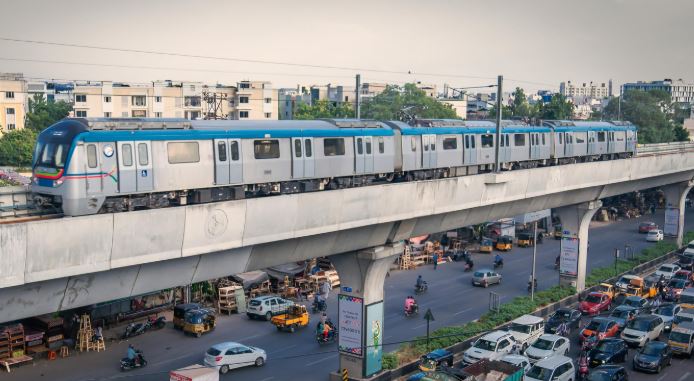
If you’re living near the Tarnaka Metro station or the main roads leading toward Habsiguda, you’re in luck. The fiber infrastructure here is mature. Most buildings have pre-installed conduits, meaning Airtel, Jio, and ACT are all fighting for your business. Installation is usually fast, and the stability is generally high.
The “Interior Struggle” (Old Colonies & Narrow Lanes)
Once you move into the quieter, interior residential lanes, the experience changes. Here, the fiber is often “aerial”—meaning the wires are hanging from poles. If you’ve lived in old Hyderabad, you know the risk. A single heavy rainstorm or a municipal worker pruning a tree can lead to a “fiber cut.”
The Local Fallback: If the big brands tell you your lane is “not feasible,” check BSNL Bharat Fiber. BSNL often has the most extensive reach into the older, narrow streets of Tarnaka where private companies refuse to go. It might not be the fastest, but it’s often the only stable option in the deep interiors.
👉 Best Internet Plans for Online Classes and Students
The Big Three: Who Actually Wins in Tarnaka?
You shouldn’t pick a provider based on a price list; you should pick based on your User Persona.
1. The “Career-Climber” (WFH & Professionals)
If you work for a company in Hitech City but live in Tarnaka, your priority is Stability and Upload Speed. You can’t have your VPN drop during a client call.
The Winner: Airtel Xstream Fiber.
Why? In the Tarnaka-Habsiguda belt, Airtel is widely regarded as the most consistent. Their upload speeds are steady, which is the secret to a lag-free Zoom or Teams call.
2. The “Budget Student” (PGs & Hostels)
If you need a connection that handles unlimited data for studying and a bit of Netflix, but you’re counting every rupee.
The Winner: JioFiber.
Why? Jio’s entry-level pricing is unbeatable. Plus, the bundled OTT apps mean you don’t have to pay for separate entertainment subscriptions. It’s the best “bang for your buck” for a student budget.
3. The “Power User” (Gamers & Coders)
If you’re a developer pushing code to GitHub or a gamer who cares about “ping” more than anything else.
The Winner: ACT Fibernet.
Why? ACT is built for raw throughput. In Tarnaka, they typically offer the lowest latency, which is the only thing that matters if you want to avoid lag in competitive gaming.
👉 Airtel Broadband in Hyderabad | JioFiber in Hyderabad | ACT Broadband in Hyderabad
The “Concrete Wall” Problem: Why Your Wi-Fi Sucks in Your Room
Here is a tip that will save you from wasting money on plan upgrades.
Tarnaka’s older houses and PG buildings are built with thick, reinforced concrete. Wi-Fi signals—especially the fast 5 GHz band—hate concrete. If your router is placed in the living room, but your room is behind two thick walls and a door, your “300 Mbps plan” will feel like 10 Mbps.
Upgrading your plan will not fix this. No amount of “Mbps” can push a signal through a foot of concrete.
The Real Fixes:
The Center Rule: Stop putting your router in a corner or inside a wooden cupboard. Place it in the most central room of the house, at chest height.
Forget “Extenders”: Those cheap plug-in Wi-Fi extenders are mostly useless in thick-walled buildings because they just repeat a weak signal.
Go Mesh: If you live in a large flat or a multi-floor house in Tarnaka, invest in a Mesh Wi-Fi system. It places “nodes” in different rooms, creating a seamless blanket of internet that actually works.
Realistic Speed Guide: What Do You Actually Need?
Sales agents will try to sell you a 1 Gbps plan. Unless you are running a home server, you don’t need it. Here is the honest breakdown for a Tarnaka household:
The Solo Student / Professional: (1-2 people, browsing and occasional calls)
→100 Mbps is more than enough.The Modern Family: (Parents WFH, kids on online classes, one Smart TV)
→150–200 Mbps. This prevents the “internet is slow” arguments during the 9 PM peak.The Shared Flat (4+ People): (Gaming, streaming, and multiple video calls)
→300 Mbps. You need the headroom to ensure no one’s connection freezes when someone else starts a download.
Final Summary for Tarnaka Residents
Living near the Metro?
→You have options. Go for Airtel if you want stability, or ACT for raw speed.Living in an old interior lane?
→Check BSNL first. They are the most likely to be “feasible.”Living in a PG?
→Go for JioFiber for the budget, but make sure the plan is 200 Mbps+ if you’re sharing.Gaming?
→ACT is your best bet for low ping.
One last piece of advice: Before you pay any installation fee, just ask your neighbor. In Tarnaka, a neighbor’s actual experience is 1,000 times more accurate than any official coverage map on a website.
Frequently Asked Questions (FAQs)
Q: Which is the best broadband in Tarnaka for someone working from home?
A: For professional stability and VPN reliability, Airtel Xstream Fiber is generally the top choice. However, if you are a developer who needs low latency for remote servers, ACT is a very strong alternative.
Q: I live in a very narrow lane; will I get fiber?
A: It’s a toss-up. Start by checking ACT and Airtel. If they say it’s “not feasible,” don’t give up—BSNL Bharat Fiber often has the best reach into the older residential corridors of Tarnaka.
Q: Is 100 Mbps enough for a shared flat with 4 people?
A: Honestly? No. In a dense area like Tarnaka, especially during the 8 PM – 11 PM peak, 100 Mbps will feel sluggish. For a shared flat, 200 Mbps is the “sanity threshold.”
Q: How long does installation usually take?
A: In apartments near the main road, it’s usually 1–2 days. In independent houses in the interior lanes, it can take 3–7 days depending on whether the technician needs to pull new cables.
Explore Broadband in Nearby Areas
👉 Hyderabad Broadband Home Page | Check Broadband by Pin Code
Disclaimer: hydbroadband.in is an independent informational guide. We are not affiliated with any ISP and do not sell plans. Always verify current pricing and availability directly with the provider for your specific address.