
Broadband Internet in Musheerabad (500020), Hyderabad – What Actually Works in This Area
Last update: May, 2026
If you’re looking for a broadband connection in Musheerabad, the first thing to understand is this:
Internet availability here depends more on your building and street than the provider you choose.
Musheerabad is one of the older, well-developed parts of Hyderabad. It sits close to busy areas like RTC Cross Roads, Chikkadpally, and Ashok Nagar, which means there’s decent infrastructure—but not always uniform across every lane.
In some apartment blocks, you may get multiple fiber providers without any issue. But in older houses or interior streets, installation can still depend on whether cables are already laid nearby.
This guide focuses on what people actually experience in Musheerabad—not just what providers advertise.
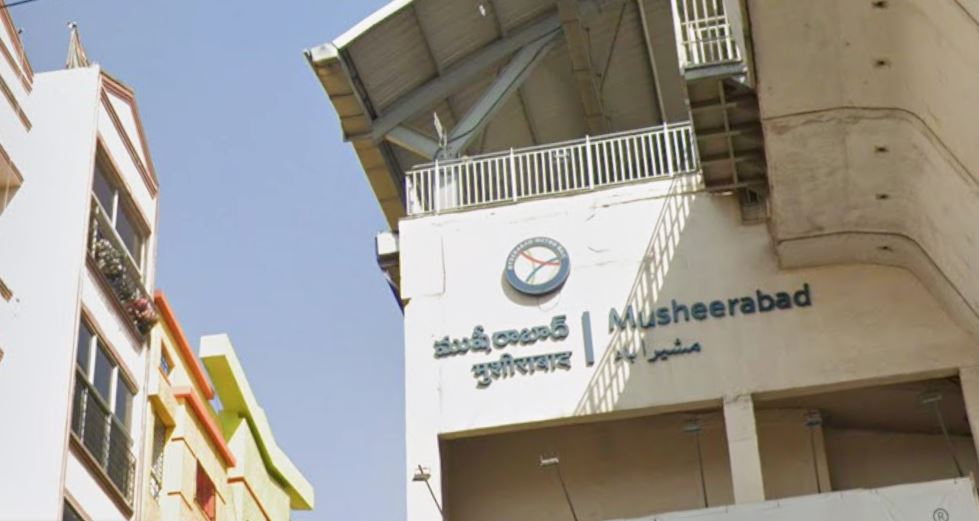
What Broadband Feels Like in Musheerabad
Musheerabad has a mix of:
- Old independent houses
- Mid-sized apartment buildings
- Clinics, shops, and offices
- Narrow internal roads in some pockets
Because of this, broadband coverage isn’t exactly the same everywhere.
From what residents typically notice:
- Buildings closer to main roads and commercial stretches usually have better fiber access
- Apartments near RTC Cross Roads and Chikkadpally side often get multiple provider options
- Some older interior lanes may still have limited choices or slower installation timelines
- Independent houses sometimes require feasibility checks before approval
This is why two homes just a few streets apart can have very different broadband experiences.
Which Broadband Providers Are Available Here?
In most parts of Musheerabad, people usually check these providers:
- Airtel Xstream Fiber
- JioFiber
- ACT Fibernet
- BSNL Bharat Fiber
In addition, a few local internet operators serve specific streets or smaller residential pockets.
What People Usually Experience
- ACT Fibernet tends to perform well in apartments where its network is already active
- Airtel Fiber is often chosen for stable performance and consistent speeds
- JioFiber is widely available, though speeds can vary during peak hours in dense areas
- BSNL Fiber is sometimes used in locations where private providers haven’t fully expanded
There isn’t one “best” provider for the whole area—the right choice depends on your exact location.
Local Internet Providers in Musheerabad
Apart from major brands, some smaller local ISPs operate in parts of Musheerabad.
These are more common in:
- Interior residential lanes
- Older housing clusters
- Streets where fiber rollout is still developing
Local providers can sometimes offer:
- Faster installation in nearby areas
- Lower-cost plans
- Direct contact with local technicians
However, service quality may vary depending on the operator, so it’s always better to check with neighbours before choosing one.
Apartments vs Independent Houses – A Practical Difference
This matters more than most people expect.
In Apartment Buildings
- Fiber wiring is often already available
- Installation is quicker (sometimes within 1–2 days)
- Multiple providers may be available
In Independent Houses
- Providers may need to extend cables
- Feasibility checks are common
- Installation may take longer
If you’re in an independent house, it’s a good idea to confirm availability before selecting a plan online.
What Internet Speeds Work for Most Homes
You don’t always need the highest-speed plan.
In Musheerabad households, common usage looks like:
- 50–80 Mbps → Basic browsing, video calls, light streaming
- 100 Mbps → Work from home + online classes
- 150–200 Mbps → Families with multiple devices
- 200+ Mbps → Heavy usage, streaming, and gaming
In many cases, stability matters more than raw speed.
Common Internet Issues People Face Here
Some problems aren’t caused by the provider at all.
In homes around Musheerabad, typical issues include:
- Router placed near entrance or corner rooms
- Thick walls reducing Wi-Fi signal strength
- Too many networks interfering in apartment buildings
- Slow speeds during evening peak hours
Simple changes like repositioning the router or switching to a dual-band setup can improve performance significantly.
How to Check Broadband Availability (Right Way)
Instead of relying only on websites, follow this approach:
- Check availability on provider websites using PIN code 500020
- Call customer support to confirm feasibility
- Ask neighbours which provider they are using
- Compare at least 2–3 providers before deciding
In areas like Musheerabad, local feedback is often more accurate than online data.
Installation Timeline – What to Expect
Once you apply:
- Day 1–2: Feasibility check
- Day 2–4: Technician visit
- Same day: Installation and activation (in most apartments)
Independent houses may take slightly longer depending on cable routing.
Fiber vs Normal Broadband – Which Internet Connection Is Better?
Broadband Provider Comparison
| Provider | Typical Speed | Installation Time | Best For |
|---|---|---|---|
| Airtel Xstream Fiber | 40 Mbps – 1 Gbps | 1–2 days | Stable connectivity |
| ACT Fibernet | 100 Mbps – 1 Gbps | 24 hours | Gaming & heavy usage |
| JioFiber | 30 Mbps – 1 Gbps | 1–2 days | OTT streaming |
| BSNL Bharat Fiber | 30 – 200 Mbps | 2–4 days | Budget plans |
Actual speeds and installation timelines depend on network feasibility at your address.
For deeper comparisons you may explore:
Improving Wi-Fi Performance at Home
Sometimes connectivity problems occur due to internal Wi-Fi setup rather than the broadband connection itself.
You can improve network performance by:
Placing the router in a central location
Avoiding walls or metal objects blocking the signal
Using dual-band routers
Installing Wi-Fi extenders for large homes
These adjustments can help improve coverage and stability across the house.
How to Check Broadband Availability in Musheerabad
To check broadband availability at your address:
Visit the official website of a broadband provider
Enter your address or PIN code 500020
Verify service feasibility
Compare available speed plans
Schedule installation if the service is available
Installation usually takes 2–5 working days depending on infrastructure readiness.
Broadband Connectivity in Nearby Areas
If you are comparing internet connectivity across central Hyderabad, you may also explore broadband information for nearby localities such as:
Broadband in Himayatnagar (500029)
Broadband in Amberpet (500013)
Broadband in ECIL (500062)
Broadband in Malkajgiri (500047)
Each locality may have slightly different connectivity patterns depending on infrastructure development and service provider coverage.
You can also return to the Hyderabad Broadband Services home page to explore internet availability across other areas of the city.
Frequently Asked Questions
Is broadband available in Musheerabad (500020)?
Yes. Broadband and fiber internet services are available in many parts of Musheerabad, depending on street-level infrastructure and building feasibility.
Which providers operate in Musheerabad?
Common providers include Airtel Xstream Fiber, JioFiber, ACT Fibernet, BSNL Bharat Fiber, and local internet operators.
Can apartment buildings get fiber broadband?
Yes. Most apartment complexes in Musheerabad support fiber broadband installations.
A Simple Tip Before You Decide
If you want to avoid most problems:
👉 Ask someone in your building or street
👉 See which connection they use
👉 Check if speeds are stable in the evening
This one step can save you a lot of trial and error.
Final Thoughts
Musheerabad has fairly good broadband coverage compared to many parts of the city, but it still depends heavily on your exact location and building setup.
Instead of focusing only on brand or plan price:
- Check what’s actually available in your building
- Choose a speed based on your usage
- Make sure your home Wi-Fi setup is correct
That combination usually gives a much better experience than just picking the fastest plan.
Disclaimer
This page is for informational purposes only.
We do not sell broadband connections or represent any service provider.
Availability, pricing, and performance depend on the respective providers and infrastructure at your address. Always confirm details before installation.