
Last updated: Oct 2026
If you’ve moved to Manikonda recently, you’ve probably realized it’s the “sweet spot” of Hyderabad. You get the peace of a residential neighborhood, but you’re only a short, chaotic drive away from the glass towers of Gachibowli and the Financial District.
Because Manikonda has become the preferred residence for the city’s tech elite, the broadband demand here is higher than almost anywhere else. But here is the reality: a plan that works perfectly in a 2BHK apartment in Puppalaguda might be a complete disaster in a three-story villa near Lanco Hills.
In Manikonda, your internet experience isn’t just determined by the ISP you choose—it’s determined by your property’s architecture. In this guide, we’re going to break down the “real-world” performance of the big three providers and tell you how to actually get a signal in every room of your home.
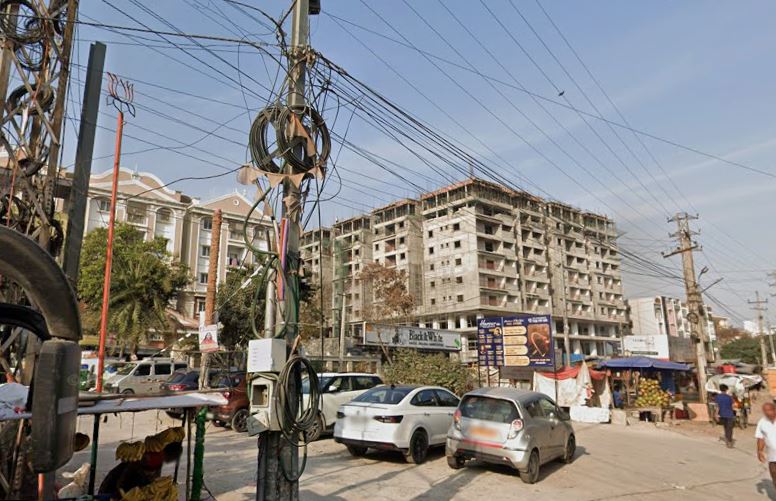
The Manikonda Divide: Apartments vs. Villas
In most parts of Hyderabad, the “best ISP” is the same for everyone in the neighborhood. In Manikonda, it depends on where you sleep.
1. The Gated Community Experience (High-Rises)
If you live in one of the large apartment complexes, you are in a “Fiber-Rich” environment. The cables are usually pre-installed in the building’s conduits.
The Win: Installation is a breeze. You can often get connected within 24 to 48 hours.
The Struggle: “Wi-Fi Noise.” Because you have 100 other neighbors all using the same 2.4 GHz frequency, your Wi-Fi can feel sluggish even if your plan is 300 Mbps.
Pro Tip: Switch all your high-performance devices to the 5 GHz band immediately to escape the neighborhood noise.
2. The Villa and Row-House Experience (The “Dead Zone” Struggle)
Manikonda has a huge number of independent villas and duplexes. This is where the “Internet Nightmare” begins.
The Win: You usually have more choice of ISPs because you aren’t locked into a building’s exclusive contract.
The Struggle: Signal penetration. Fiber reaches your front door perfectly, but it cannot fight through three floors of reinforced concrete. If your router is in the living room on the ground floor, your home office on the first floor is essentially a dead zone.
Pro Tip: Do not buy a “stronger” plan to fix this. A 1 Gbps plan won’t pass through a concrete ceiling. You need a Mesh Wi-Fi system (discussed below).
👉 [Airtel vs JioFiber vs ACT – Detailed Comparison]
The Big Three: Who Actually Wins in 500089?
Airtel Xstream Fiber: The “Corporate Stability” Choice
Airtel is the gold standard for the Manikonda professional. If your day consists of 6 hours of Zoom calls and constant VPN connectivity to a server in the US or UK, Airtel is your safest bet.
The Performance: Extremely stable uptime. While it might not always have the “wildest” peak speeds, it rarely drops.
The Edge: Their customer service in the Manikonda/Gachibowli belt is generally more responsive than the competitors.
Verdict: Best for WFH professionals and corporate managers.
ACT Fibernet: The Performance Engine
ACT is the favorite for the “power user.” If you are a developer pushing massive amounts of code to GitHub or a gamer who cares about every single millisecond of ping, ACT is usually the winner.
The Performance: Raw speed and low latency. ACT’s routing is often more optimized for gaming and heavy data transfers.
The Edge: They offer straightforward, high-speed plans without forcing you into “OTT bundles” you might not even watch.
Verdict: Best for gamers, developers, and heavy data users.
JioFiber: The Value and Entertainment King
Jio has scaled incredibly fast in Manikonda’s newer gated communities. Their strategy is simple: give you a great price and a library of entertainment.
The Performance: Great for 4K streaming and general household use. However, some users in high-density apartments report slight “jitter” during the 8 PM – 11 PM peak.
The Edge: The bundled 4K set-top box and OTT subscriptions make it the most cost-effective choice for families.
Verdict: Perfect for families and those who use the internet more for entertainment than for heavy engineering work.
The “Hybrid-Work” Math: What Speed Do You Actually Need?
In Manikonda, the demographic is predominantly dual-income IT households. This creates a specific bandwidth challenge.
The “Two-Call” Scenario:
Imagine a couple where both are working from home. At 11 AM, both are on HD video calls. Simultaneously, a smart TV is streaming news in the background, and a smartphone is syncing photos to the cloud.
On a basic 100 Mbps plan, you might start noticing “frozen screens” or audio lag. Why? Because it’s not about the download speed, but the upload and the stability of the connection under load.
Our Local Recommendation:
Solo Professional: 100 Mbps is plenty.
Dual-WFH Couple: 150–200 Mbps is the “sanity” threshold. It ensures neither person’s call drops when the other starts a large upload.
Family of 4+ (Kids + WFH): 300 Mbps. This handles online classes, 4K Netflix, and corporate VPNs without anyone complaining that the “internet is slow.”
👉 [Is 100 Mbps Enough for Work From Home?]
The Villa Solution: Solving the “Dead Zone” Problem
If you live in a 3,000+ sq ft villa in Manikonda, please stop buying more expensive plans to fix your Wi-Fi. No plan can fix a concrete wall.
If your router is in the living room, the signal physically cannot reach the upstairs bedroom with any strength. You don’t need more “Mbps”; you need more “coverage.”
The Strategy for Manikonda Villa Owners:
Avoid “Extenders”: Those cheap plug-in extenders just repeat a weak signal. They often halve your speed.
Invest in Mesh Wi-Fi: Buy a system (like TP-Link Deco or Netgear Orbi) with 2 or 3 “nodes.” Place one on each floor. These nodes talk to each other and create a single, seamless blanket of internet across your entire home.
The Ethernet Secret: For your primary work laptop, run a physical Cat6 cable from the nearest Mesh node to your desk. This eliminates Wi-Fi interference entirely and is the only way to guarantee 100% VPN stability.
👉 [Best Broadband Providers in Hyderabad 2026]
Real-World Installation: What to Expect in 500089
Installation in Manikonda is generally fast, but there are two “traps” you should know about:
1. The Gated Community “Lock-In”
Some societies in Manikonda have exclusive agreements with a specific ISP. When you call Airtel, they might say they have coverage, but when the technician arrives, they find they aren’t allowed to pull cables into your specific block.
Pro Tip: Always ask your building manager, “Which ISPs are already active in our block?” This saves you days of waiting for a technician who can’t actually do the job.
2. The Independent House “Pole Struggle”
In the interior lanes of Manikonda, cables are often aerial. If you live in a standalone house, the technician might have to pull a wire from a pole 50 meters away.
Pro Tip: Be present during installation. Ensure the technician doesn’t just “string the wire” loosely across a tree or a fence, as the first heavy wind or monsoon rain in Hyderabad will knock your internet out.
Final Verdict: Which One Should You Pick?
| If you are a… | Best Choice | Why? |
| Corporate Employee (WFH) | Airtel | Best uptime and professional support. |
| Developer / Gamer | ACT | Lowest latency and raw performance. |
| Family / Budget User | JioFiber | Unbeatable OTT bundles and pricing. |
| Villa Owner | Airtel or ACT | More reliable “last-mile” fiber for large homes. |
Frequently Asked Questions (FAQs)
Q: Is 100 Mbps enough for a shared flat in Manikonda?
A: If it’s just 1 or 2 people, yes. But if you have 3 or 4 working professionals sharing a flat, 100 Mbps will feel sluggish during the 8 PM – 11 PM peak. We recommend 200-300 Mbps for shared living.
Q: My internet is fast in the living room but dead in the bedroom. What do I do?
A: This is a common problem in Manikonda’s RCC buildings. Upgrade to a Mesh Wi-Fi system. Placing nodes in different rooms is the only way to solve this—upgrading your plan speed will not help.
Q: Which ISP has the best VPN stability for remote work?
A: In the 500089 zone, Airtel and ACT generally offer better routing for corporate VPNs. JioFiber is great for entertainment, but some users report more frequent “micro-disconnects” during long VPN sessions.
Q: How long does installation typically take in Manikonda?
A: In gated communities, it’s usually 1–3 days. For independent houses, it can take 3–6 days depending on the cabling required from the nearest junction box.
👉 Hyderabad Broadband Home Page | Check Broadband by Pin Code
Disclaimer: hydbroadband.in is an independent resource for Hyderabad residents. We are not affiliated with any ISP and do not sell plans. Always verify current pricing and availability directly with the provider for your specific apartment or house number.