
Router Setup & Placement Guide for Hyderabad Homes: Stop Blaming Your ISP!
Last updated: May, 2026.
Here is a scenario that plays out in thousands of Hyderabad homes every day: a family upgrades to a 300 Mbps fiber plan, expects a lightning-fast experience, and then wonders why Netflix still buffers in the bedroom, Zoom calls still drop, and gaming lag hasn’t improved at all.
Here is the hard truth: The connection entering your home is fast, but the connection inside your four walls is where the problem lies.
In my experience analyzing home networks across the city, poor router placement and incorrect setup are responsible for more performance complaints than actual ISP failures. The good news? Fixing this usually costs zero rupees—it just requires understanding how Wi-Fi signals travel through the specific types of buildings we live in across Hyderabad.
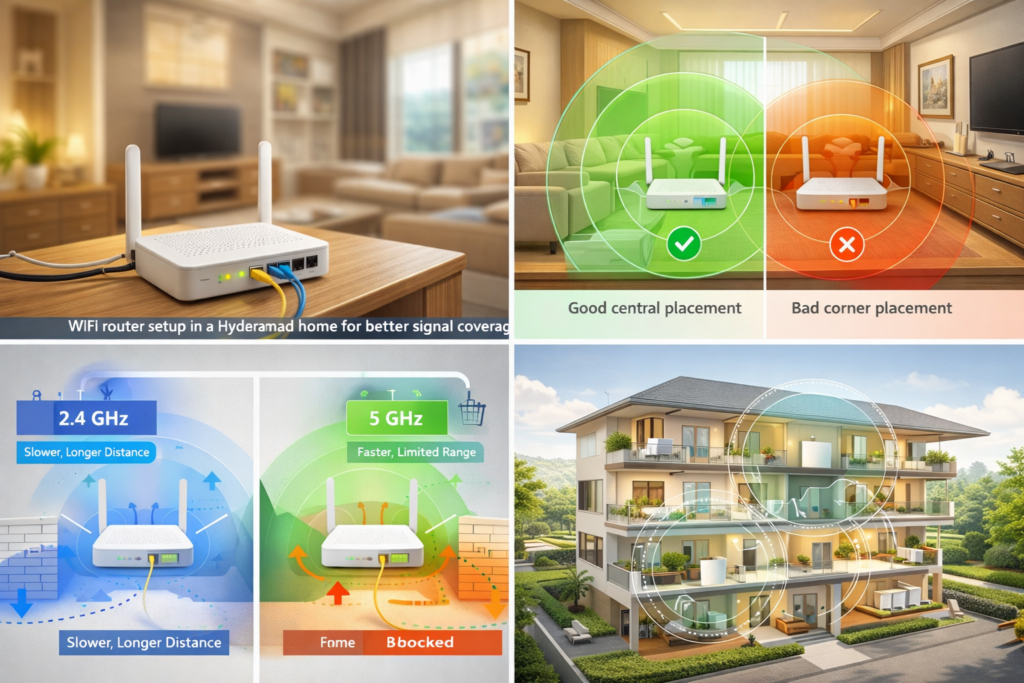
Why Hyderabad Homes Are a “Nightmare” for Wi-Fi
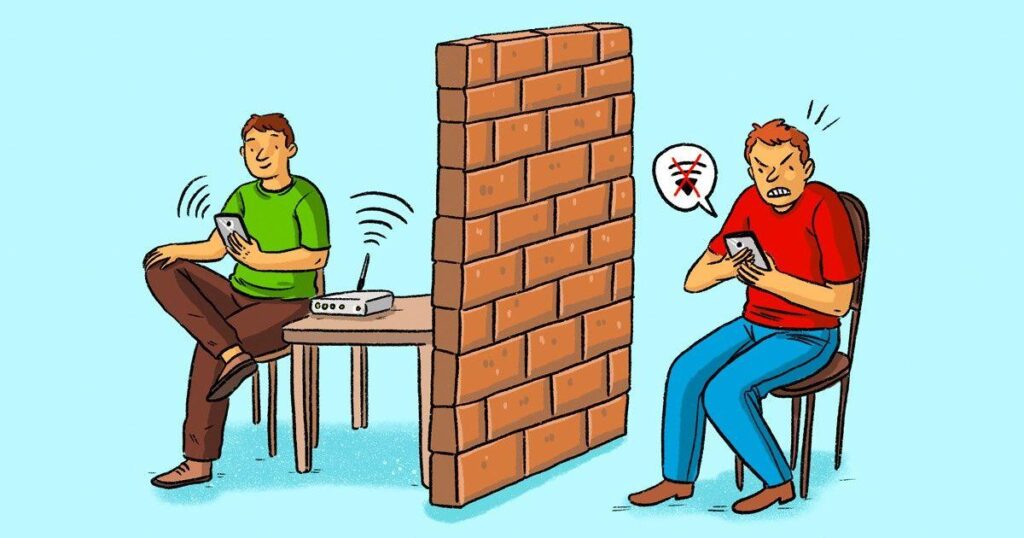
Wi-Fi signals don’t struggle with everything equally. Wood and glass are relatively “transparent” to signals. However, reinforced concrete—the primary building material for almost every apartment complex, villa, and independent house in Hyderabad—is a signal killer.
A standard apartment wall in Hyderabad can reduce your Wi-Fi signal strength by 10–15 dB. If the signal has to pass through a thick structural column, you could lose 20–25 dB. By the time your signal reaches a device two rooms away, you may have lost more than half of your effective bandwidth.
This is a unique challenge in our city because:
The Layout: 2BHK and 3BHK apartments are often designed with multiple enclosed rooms that create “wall barriers.”
The Height: High-rise buildings in areas like Gachibowli use heavier reinforcement, which blocks signals more than low-rise houses.
The Density: In a typical apartment complex, your router is competing with 30 to 50 other neighboring networks, creating “signal noise.”
Once your connection is live, use the Wi-Fi Speed Improvement Guide to get the best performance from your plan.
The Golden Rule of Router Placement
If you do only one thing after reading this guide, let it be this: Move your router to the most central location in your home, elevate it off the floor, and keep it in the open air.
Wi-Fi signals radiate outward in a spherical pattern. If you place your router in a corner or near a balcony, you are literally broadcasting half of your paid internet into the street or into your neighbor’s wall.
Where to place your router (The “Green Zones”):
Living Room Center: The ideal spot for most 2BHK layouts.
Central Hallway: Best for 3BHK apartments with a linear room design.
Dining Area: Often the geometric center of open-plan Hyderabad homes.
Where to NEVER place your router (The “Danger Zones”):
The Kitchen: Microwaves and refrigerators are notorious for interfering with 2.4 GHz signals.
Inside Cabinets: Placing a router inside a wooden TV unit or wardrobe is like putting a blanket over your internet.
On the Floor: Signals radiate poorly from floor level and get absorbed by the ground.
Understanding Your Two “Lanes”: 2.4 GHz vs. 5 GHz
Almost every modern router from Airtel, JioFiber, or ACT is “Dual-Band.” Think of these as two different lanes on a highway.
| Feature | 2.4 GHz Band (The “Slow Lane”) | 5 GHz Band (The “Fast Lane”) |
| Range | Longer; penetrates walls better | Shorter; struggles with walls |
| Speed | Lower maximum speed | Much higher speed |
| Congestion | Very crowded in apartments | Much cleaner, more channels |
| Best For | Smart bulbs, CCTV, IoT devices | Laptops, Smart TVs, Gaming, Zoom |
Pro Tip for Apartment Dwellers: In dense areas like Kondapur, the 2.4 GHz band is almost always “jammed” because everyone’s router is fighting for the same space. If you are in the same room as the router, always connect to the 5 GHz band. You will see an immediate jump in speed.
- Best Internet for Gaming in Hyderabad — Explains why latency matters more than raw speed for gaming and which providers deliver the lowest ping in Hyderabad.
Scenario-Based Setup: Which Home Do You Have?
1. The 1BHK or Studio Apartment
You’re in luck. A single router placed centrally in the main living area is usually enough. Just keep it away from the kitchen and you’ll have full 5 GHz coverage.
2. The 2BHK or 3BHK Apartment
If your bedrooms are at opposite ends of the flat, a single router will struggle.
The Fix: Give your 5 GHz network a separate name (e.g., “HomeNet_5G”). This allows you to manually force your high-performance devices (like your work laptop) onto the faster band.
The Extension: If you have “dead zones,” consider a Mesh Wi-Fi system rather than a cheap extender. Extenders often halve your speed; Mesh systems do not.
3. Multi-Floor Independent Houses & Villas
In areas like Jubilee Hills, Manikonda, or Kompally, the floor/ceiling is your biggest enemy. A router on the ground floor will rarely reach the second floor effectively.
The Strategy: Place the router on the middle floor, centrally positioned. This allows the signal to radiate both upward and downward.
The Solution: For houses over 2,000 sq. ft., a three-node Mesh system (like TP-Link Deco or Netgear Orbi) is a better investment than upgrading your monthly data plan.
“Power User” Settings to Boost Performance
If you’re comfortable logging into your router admin panel (usually 192.168.1.1), try these three tweaks:
Manual Channel Selection: Instead of “Auto,” set your 2.4 GHz channel to 1, 6, or 11. These are the only non-overlapping channels. For 5 GHz, try the 149–165 range.
Enable QoS (Quality of Service): Set your router to prioritize “Work from Home” traffic (Zoom, Teams, Meet). This ensures your video call doesn’t freeze just because someone else started a YouTube video in the other room.
Update Firmware: Manufacturers release updates that fix stability bugs. Check for a firmware update every few months.
- How to Check Broadband Availability in Hyderabad (Step-by-Step Guide) — A practical walkthrough of how to verify whether a specific provider can serve your address before applying.
When to Give Up on Wi-Fi and Use a Cable
The best Wi-Fi in the world is still not as stable as a physical wire. For certain devices, you should simply run an Ethernet (LAN) cable along your skirting boards.
Connect these via cable for 100% stability:
Work Laptops: Especially for critical client calls.
Smart TVs: Eliminates 4K buffering entirely.
Gaming Consoles: Reduces “ping spikes” and lag.
Quick-Reference Checklist
Before you call your ISP to complain, check these off:
Router is central (not in a corner/balcony).
Router is elevated (4–6 feet high).
Router is NOT inside a cabinet or drawer.
Laptops/TVs are on the 5 GHz band.
Smart home devices are on the 2.4 GHz band.
Firmware is updated.
Gaming/Work consoles are wired via Ethernet if possible.
Bottom Line: Most “internet problems” in Hyderabad are actually “router problems.” Spend 30 minutes optimizing your setup, and you might find that your current plan is actually more than enough.
“I remember when I first moved into my flat in Kondapur; I put the router in the bedroom and wondered why the living room had no signal. It took me three days to realize the structural column in my house was blocking everything”

ℹ️ This guide is for informational purposes only. Router performance depends on home layout, building construction, connected device count, and broadband plan. Results may vary by specific setup.